
© 2026. All rights reserved.
SalesPro+
How we built the ultimate sales application

-
Introduction
Minus officia ducimus voluptas et et provident magnam. Reiciendis natus repudiandae accusa illo adipisci aliquam dolorem expedita.
Clients
Gus Skarlis
Service
App Design
Industry
Medical
Year
2025
When we discover a need, we strive to provide
In this case, our customers’ needs aligned with our interests - for our sales leaders to have a deeper understanding of customers and fulfill their requirements.District Sales Leader's daily responsibilities require them to engage with customers and the market. They also have the added complication of navigating multiple apps to do so. We set out to build a tool to elevate their work experience, thus enabling them to win the marketplace.
76% Business buyers expect their suppliers to understand their unique needs and expectations
67% Expect us to anticipate their needs
Pain Points
1
Managers are forced to reference several tools to create their own spreadsheet of information that’s custom to their districts to share.
2
Frontline and Management have a hard time identifying the right tool to use for specific tasks.
3
The Frontline opts to not use tools available to them in favor of more direct communication.
A one-stop outcome-focused platform.
- The redesigned application focuses on streamlining operations, team alignment, performance and sales analytics.
Let’s make it happen!
An FLNA product database to train the AI in recognizing our range of products.
A tool to capture product images and catalogue them
It must account for:
- • Volume of products and images
- •Various product and display angles
Discovery
Understanding the DSL
The District Sales Leader (DSL) is a key role in our organization and responsible for leading our people, selling our products, interacting with our customers and planning strategically how to achieve sales objectives and goals.
Application Usage Breakdown
DSLs have access to roughly 40 unique applications to fulfill their responsibilities in Planning, Reporting, Ordering & Delivery, Coaching, Scheduling, and more. Generative research in Fall 2021 indicated that tooling is a consistent issue.
47% of these tools are either duplicative or unused entirely.
89 tools are available to Frontline
Pain Points
1
Managers are forced to reference several tools to create their own spreadsheet of information that’s custom to their districts to share.
2
Frontline and Management have a hard time identifying the right tool to use for specific tasks.
3
The Frontline opts to not use tools available to them in favor of more direct communication.
Ideation
Collaboration
To get a better understanding of opportunity areas, we brought in some former frontline leaders to participate in a workshop. We quickly realized that we needed a solution that was user-friendly, easily adoptable, and centralized.
Main features should include near real-time tracking capability, collecting key data points of field employees as they execute their daily tasks, easy access and availability of information, greater control and customization.
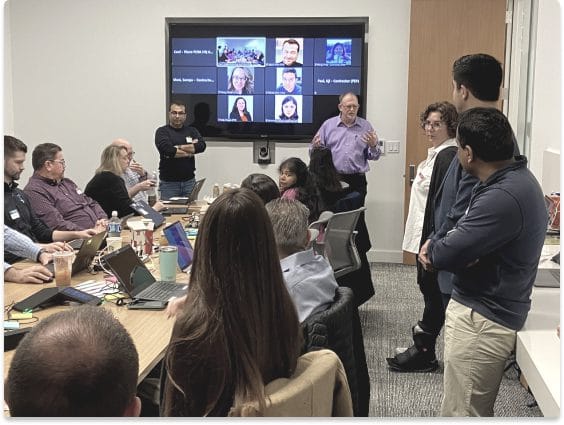
Organizing the Thinks, Says, Feels, Does methods of the average RSR.
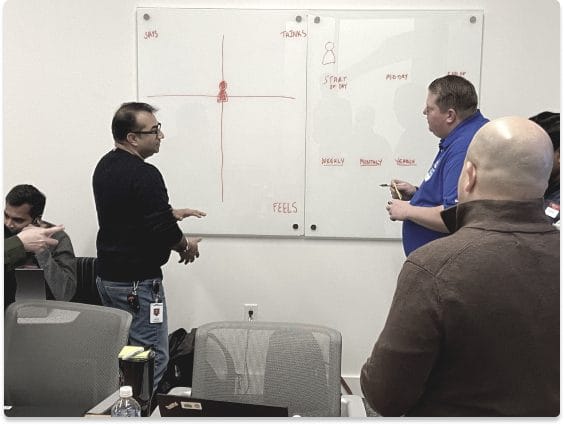
Collaboration from team members across many departments so everyone can better understand the RSRs.
Whiteboarding Sessions
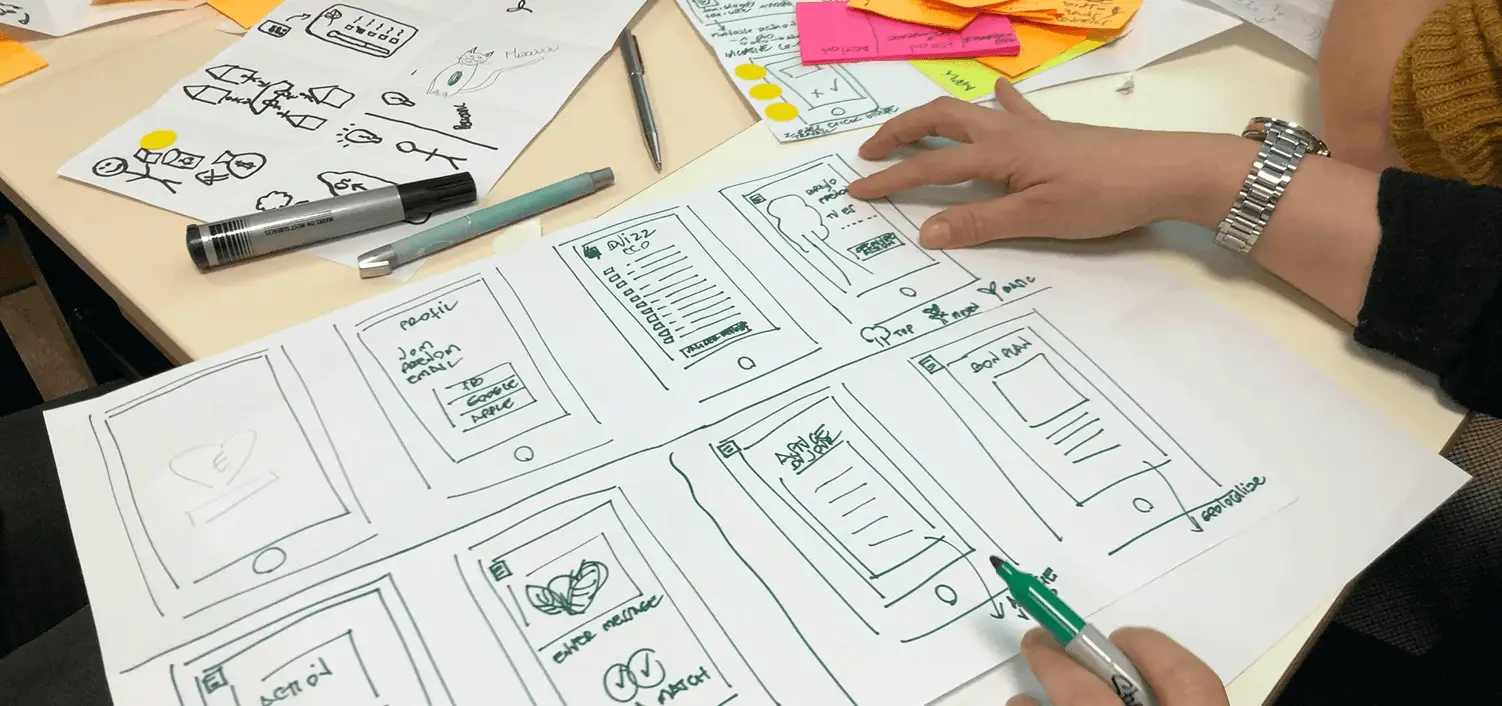
We broke into two groups to address both personas. This session stimulated creativity amongst the teams and this brainstorming brought new ideas for some potential solutions.
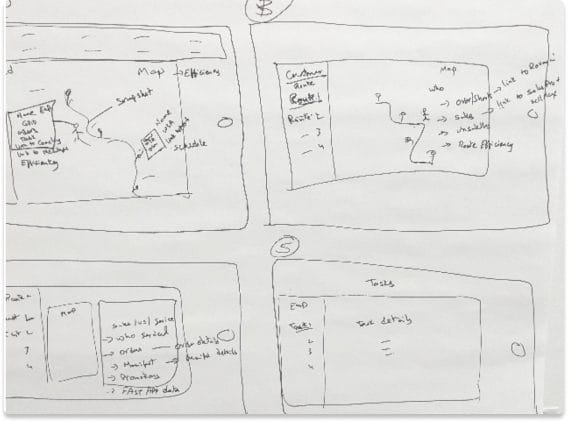
Showcasing Team Visibility, Fast App details, Overs + Shorts, Communications task details concepts
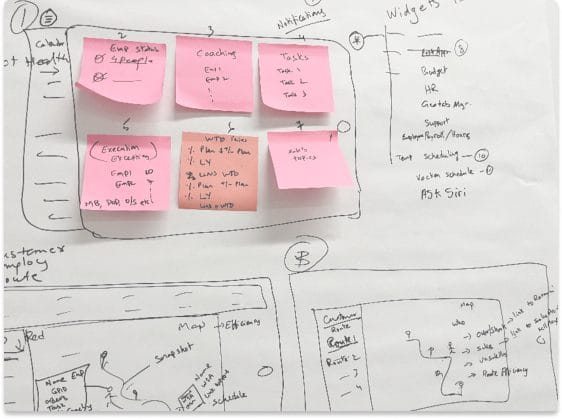
Layout idea of navigation, and dashboard widgets as sticky notes to show customization capabilities
Rapid Solution Brainstorming
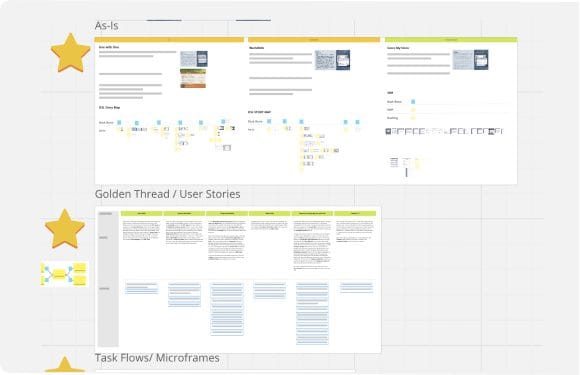
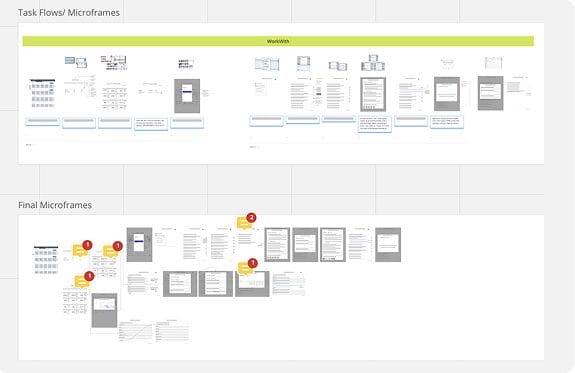
Using Miro, we identified our Golden Thread and plotted as-is journey maps to better understand our users. Through low fidelity wireframes, we experimented with various ways of streamlining and integrating new functions to improve ease of use and adoptability.
Mid-Fidelity Wireframes
We further developed the lo-fi wireframes to explore look and feel, form, layout and color psychology. Since SalesLead+ is part of the Sales+ suite, we had to ensure a visual consistency while developing its unique identity.
A DSL’s view of route visibility progression.
DSL Dashboard initial iteration showcasing potential metrics and layouts.
More refined version of the Dashboard
Solution
SalesLead+
We decided to unify the disparate applications into a single framework called SalesLead+, thus streamlining leadership responsibilities and frontline operations. SalesLead+ will comprise of 6 individual modules - Team visibility, Coaching, My Team, Overs & Shorts, Communication and Reporting - based on frontline leader functions.
2023 focus will be to move from an App Centric Approach to an Experience by Activity Approach to enable Effective Team Leadership with focus on increasing Frontline hourly retention.

Dashboard Details
The SalesLead+ Dashboard is the centralized leadership enabled platform to empower leaders in their coaching, reporting and employee engagement responsibilities.The information is shared in a clear and concise manner, with focus on the most relevant and actionable items. Data integrity is assured and there is transparency in its sourcing.
- 1. Dashboard
- 2. My Team
- 3. Communications
- 4. My Team
- 5. Widget
- 6. Navigation Bar
- 7. Notifications + Settings
5 features for frontline employees on their hand-held iOS devices
Overview of Modules + Widgets
Employee development, engagement and mentoring.
Team availability and engagement tracker.
Virtual touchpoint - platform for messaging, event updates and task tracking.
Records sales overages and shortages.

4 features for leaders on their iOS tablet devices
Testing
Concept Validation
Concept validation (sometimes known as concept testing) helped us assess the viability of SalesLead+ before implementation into the real world. Various RSRs volunteered to be a part of these sessions to provide their honest experience feedback. UserTesting.com was used to record these sessions for reference later.
Heuristic Analysis
A heuristic evaluation is a usability inspection method for any digital product that helps to identify potential usability problems in the user interface (UI) design. Ten metrics were used in this analysis and the screens were rated by level of severity.
Impact
Better task prioritization
The birds-eye view of employee activity, coaching needs, sales data, etc. lends a comprehensive understanding of the team, allowing them to organize and optimize their tasks.
Incremental time-saving
Coaching prep that usually takes hours is simplified and made more efficient, enabling leaders to spend more time with each employee and tailor the development plans.
Promotes a data first culture
The integration of the various data applications into one holistic platform ensures the right data is seen by the right people at the right time, powering data analysis and decision-making.
Fosters open communication
The app’s provisions for real-time visibility and feedback facilitates seamless communication and sets up a feedback loop that enables continuous improvement
Improved productivity
Streamlined and focused coaching helps leaders have improved engagement sessions with the employees, leading to enhanced performance and maximised potential.
Testing
Concept Validation
Concept validation (sometimes known as concept testing) helped us assess the viability of SalesLead+ before implementation into the real world. Various RSRs volunteered to be a part of these sessions to provide their honest experience feedback. UserTesting.com was used to record these sessions for reference later.
Control over bid list
Users receive notifications for their bid time, bid status, etc., which can be customized for their preferred digital experience.
Bid for employee
Users can assign vacation schedule to and for an employee based on the total vacation days available to them. On confirmation, user will receive a success toast message while the frontline employee is intimated via email.
Assign vacation days
Users can assign and edit available vacation days for individual employees after which the employee receives an update notification.
Access vacation schedule
Users can view the vacation schedule as well selected vacation days for individual employees from vacation bidding dashboard. The full-year calendar view showcases the vacation days of all employees, which can also be filtered, printed, and exported for the leader’s convenience.
Impact

Process Democratization
By bringing visibility for employees, proxy bidding, and greater control for leaders, the entire vacation bidding process empowers all users.
Incremental time-saving
The bidding process that might otherwise take days, if not weeks, is structured and streamlined to save time and boost user efficiency - for each individual.
Cohesive way of work
Digitizing the process limits the decision bias, possibilities of miscommunication, and need for verification.

 MAKE
MAKE